Color Harmonization
Color Harmonization is a computational model designed to adjust and enhance the color balance of an image based on harmony templates, as proposed in the paper by Daniel Cohen-Or et al. The model improves visual aesthetics by aligning image colors with established color harmony principles. It supports multiple harmony templates and can be integrated with user interfaces for visual quality assessment using metrics from interfacemetrics.aalto.fi.


Color Harmonization
Summary
Introduction
Color Harmonization is the process of adjusting and combining colors in a way that produces aesthetically pleasing and balanced visual compositions. Rooted in both art theory and perceptual psychology, color harmonization ensures that a group of colors works together to evoke a desired mood, enhance clarity, and create visual unity. Whether in graphic design, digital art, fashion, photography, or user interface design, color harmonization plays a crucial role in influencing how a viewer perceives and engages with visual content.
At its core, the concept draws from traditional color theory, which organizes hues around the color wheel and defines relationships such as complementary, analogous, triadic, and tetradic schemes. These relationships are often used as templates to select colors that naturally work well together. For example, complementary colors (those opposite each other on the wheel) offer high contrast and energy, while analogous colors (adjacent on the wheel) provide a more harmonious and calming feel.
In digital applications, color harmonization may involve algorithms that adjust hues, saturation, and brightness to align with a chosen harmony rule. These methods can help unify a palette extracted from diverse sources, automatically adjust mismatched colors in an image, or even recolor entire scenes to fit a desired style or emotion. More advanced approaches, such as learning-based or perception-driven harmonization, take into account human visual preferences, scene semantics, and cultural context.
Color harmonization is not just a matter of visual appeal — it also supports readability, brand identity, emotional tone, and overall usability. By guiding the viewer’s eye and reducing cognitive load, harmonious color design can enhance user experience in subtle yet powerful ways.
Parameters
Inputs
input_image- (image -.png|.jpg|.jpeg): This is the path to an input image file on which color processing will be performed.template- (text): This is the name of a selected "harmonic color scheme". The template defines a specific color harmony to apply to the image. For instance, str(template) could be one of the names of color schemes likevertical_bar, v_shape, right_angle, left_angle, double_bar, t_shape, y_branch, x_cross.angle- (number - int): This is an angle value used in the harmonic color scheme to adjust the colors in the image. This value can help shift or modify the color scheme of the image according to the selected template.
Output
output_hue- (image -.png): The path to the output image file after applying the harmonic color shift. This image has the colors altered based on the selected color scheme.output_image- (image -.png): The path to the image file containing the hue histograms of both the original and processed images. This histogram helps compare the difference in color distribution between the original and processed images.
Examples
| input_image | template | angle | output_hue | output_image |
|---|---|---|---|---|
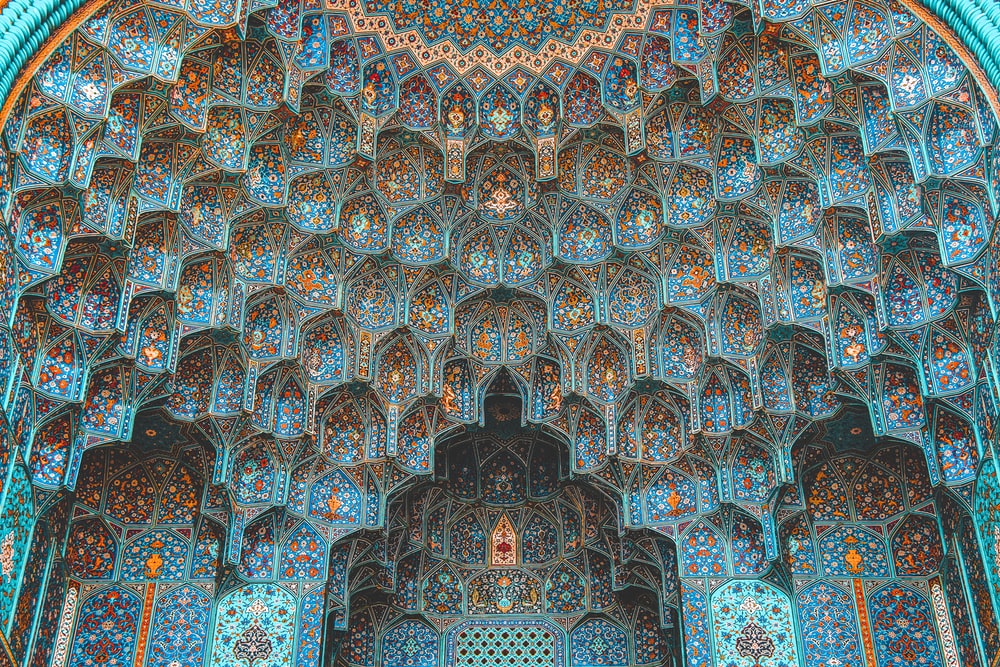 | double_bar | 352 | 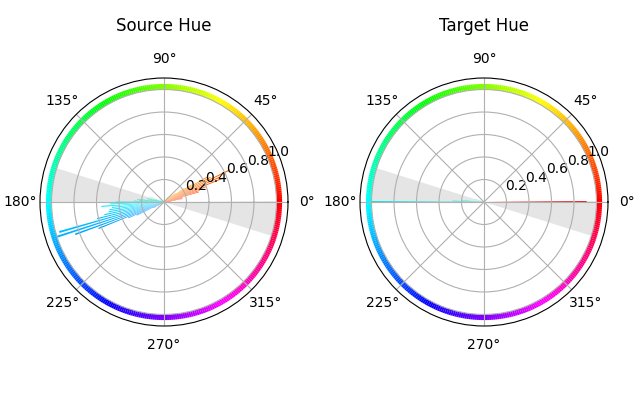 | 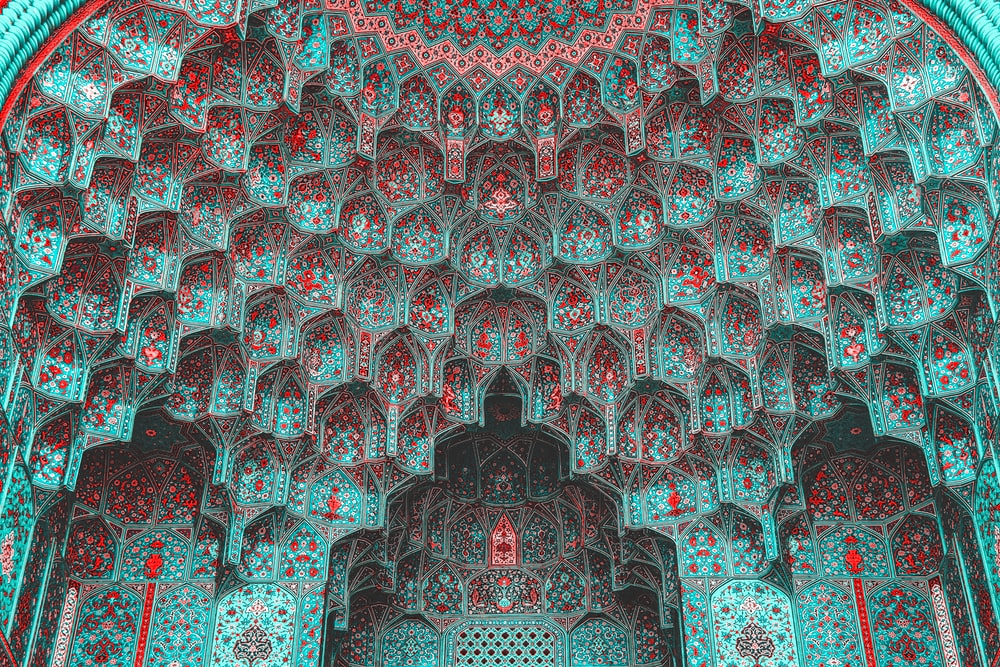 |
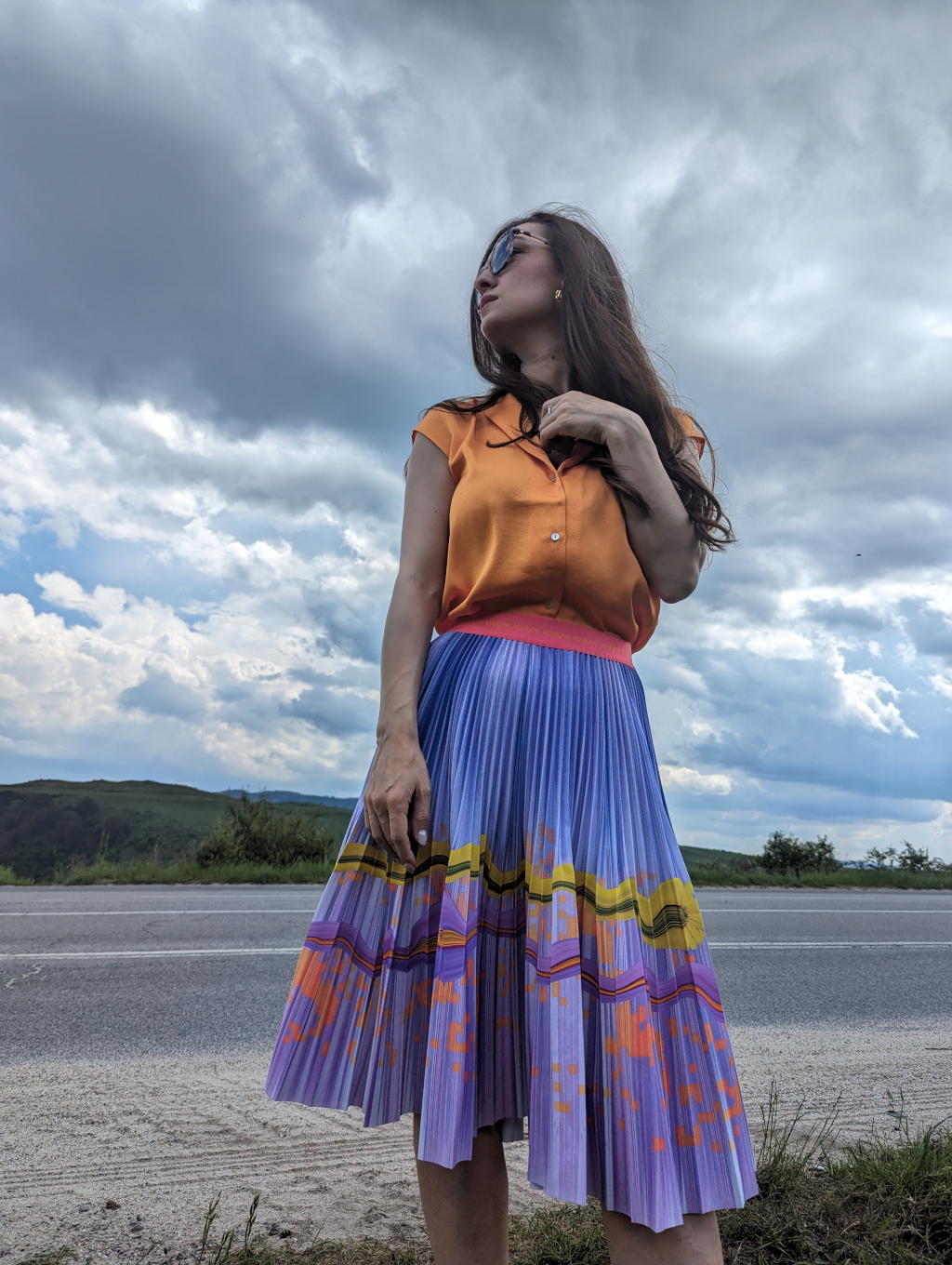 | vertical_bar | 45 | 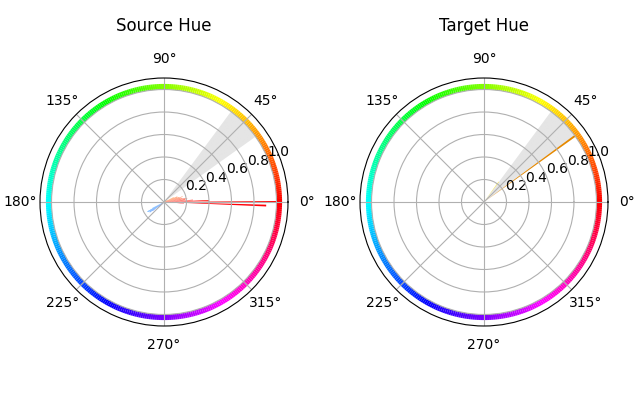 | 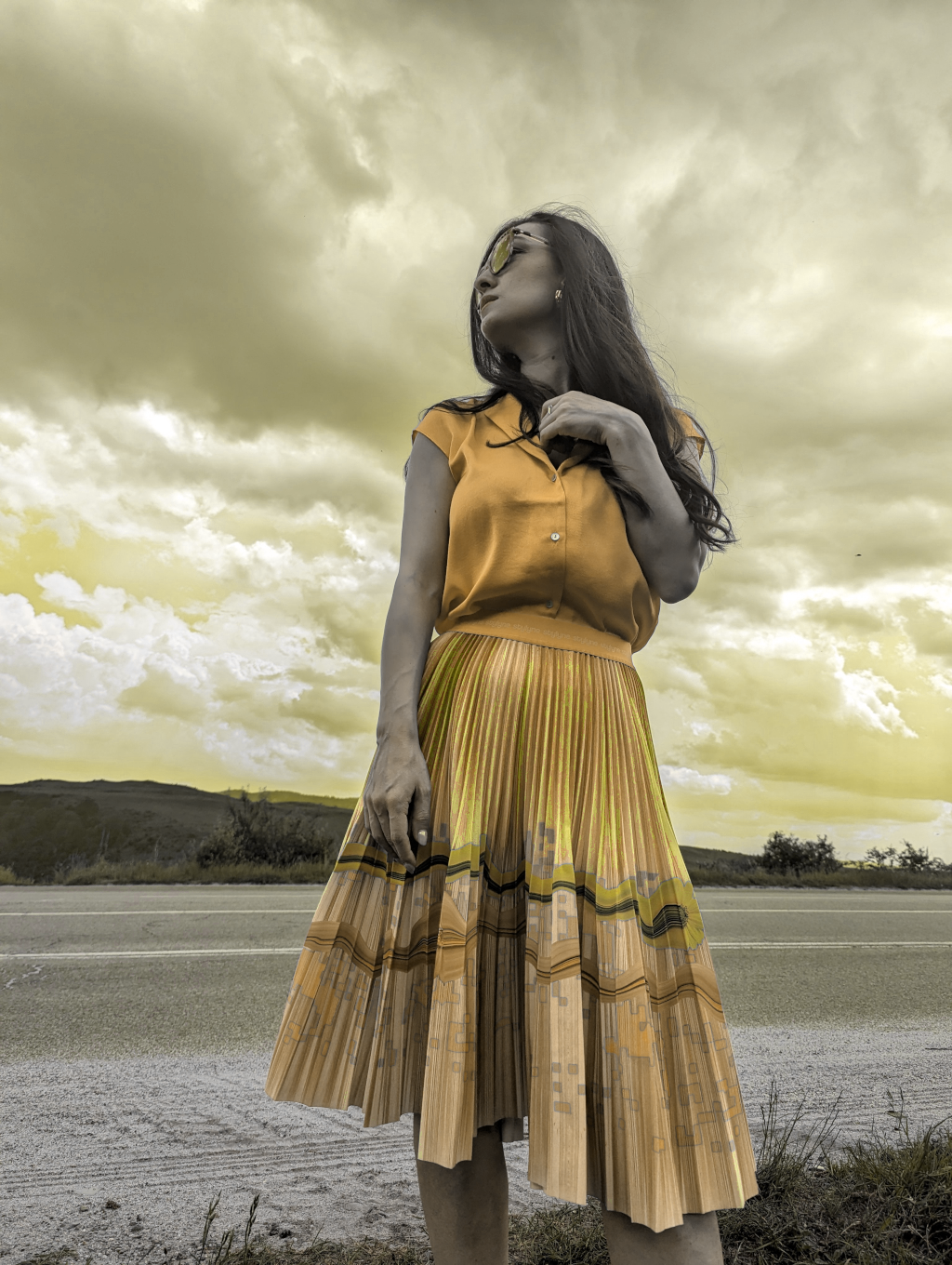 |
Usage for developers
Please find below the details to track the information and access the code for processing the model on our platform.
Requirements
pip install -r requirements.txt
Code based on AIOZ structure
from .utils import *
import cv2
import numpy as np

...

def do_ai_task(
        input: Union[str, Path],
        model_storage_directory: Union[str, Path],
        device: Literal["cpu", "cuda", "gpu"] = "cpu",
        *args, **kwargs) -> Any:

    """Define AI task: load model, pre-process, post-process, etc ..."""
    # Define AI task workflow. Below is an example
    device = "cuda" if torch.cuda.is_available() else "cpu"

    color_image = cv2.imread(input_image, cv2.IMREAD_COLOR)
    HSV_image = cv2.cvtColor(color_image, cv2.COLOR_BGR2HSV)
    selected_harmomic_scheme = HarmonicScheme(str(template), int(angle))
    new_HSV_image = selected_harmomic_scheme.hue_shifted(HSV_image, num_superpixels=-1)
    ...

    return output
Reference
This repository is based on and inspired by Amir Hossein Kargaran's work. We sincerely appreciate their generosity in sharing the code.
License
We respect and comply with the terms of the author's license cited in the Reference section.