Connect Wallet
Our system is designed to support various wallet types, such as MetaMask, to help you manage expenses efficiently. Below is a detailed guide on how to connect with MetaMask wallet:
-
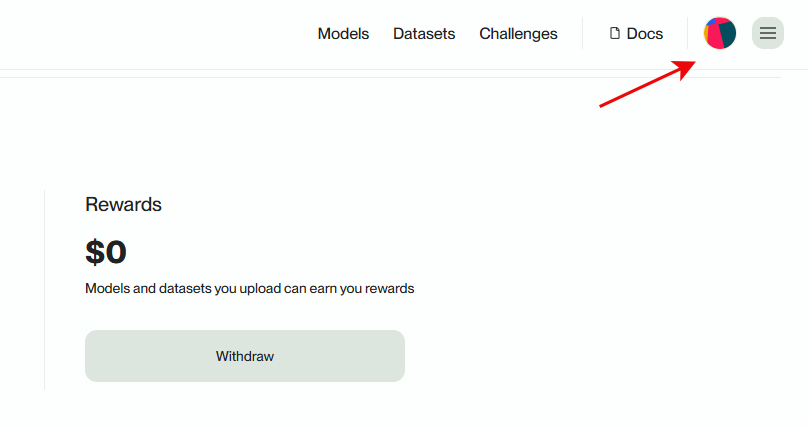
Step 1: Navigate to the Balances & Transactions screen.
-
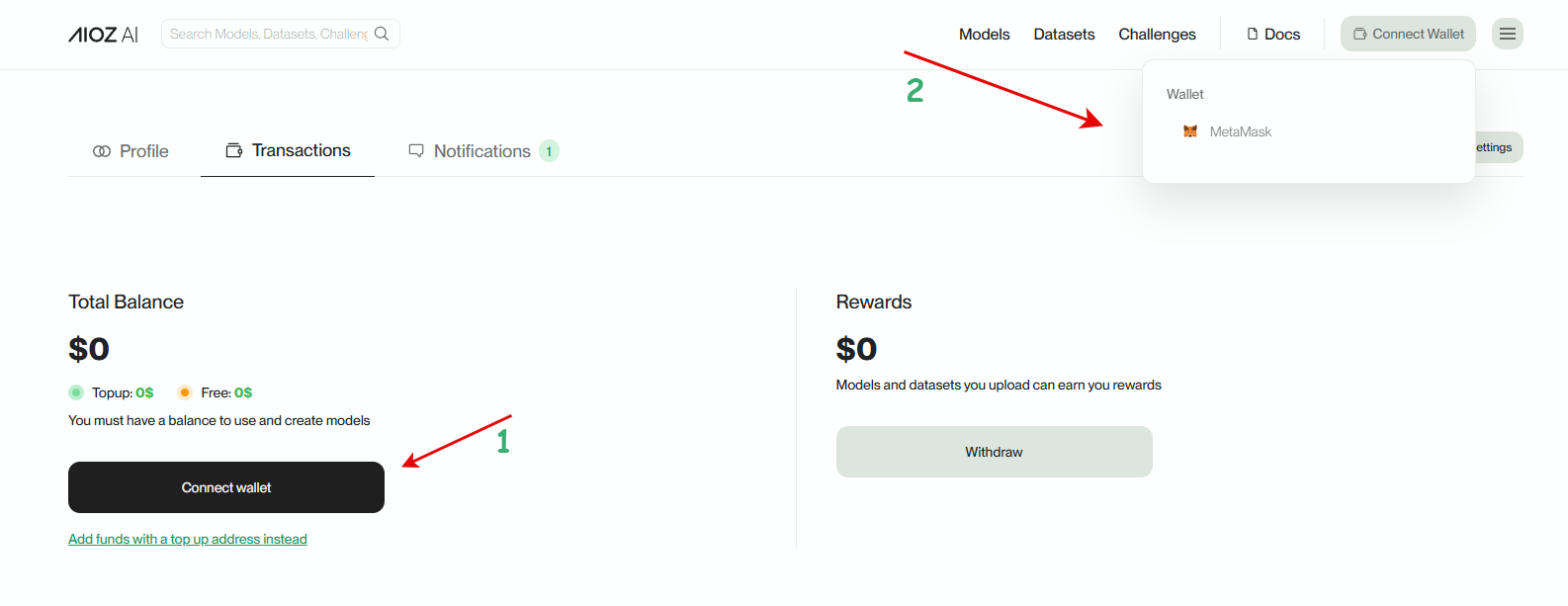
Step 2: In the Transactions screen, select Connect wallet button.
-
Step 3: In the popup wallet, select MetaMask wallet. Then unlock and sign in the MetaMask popup to accept the connection to AIOZ AI Platform.
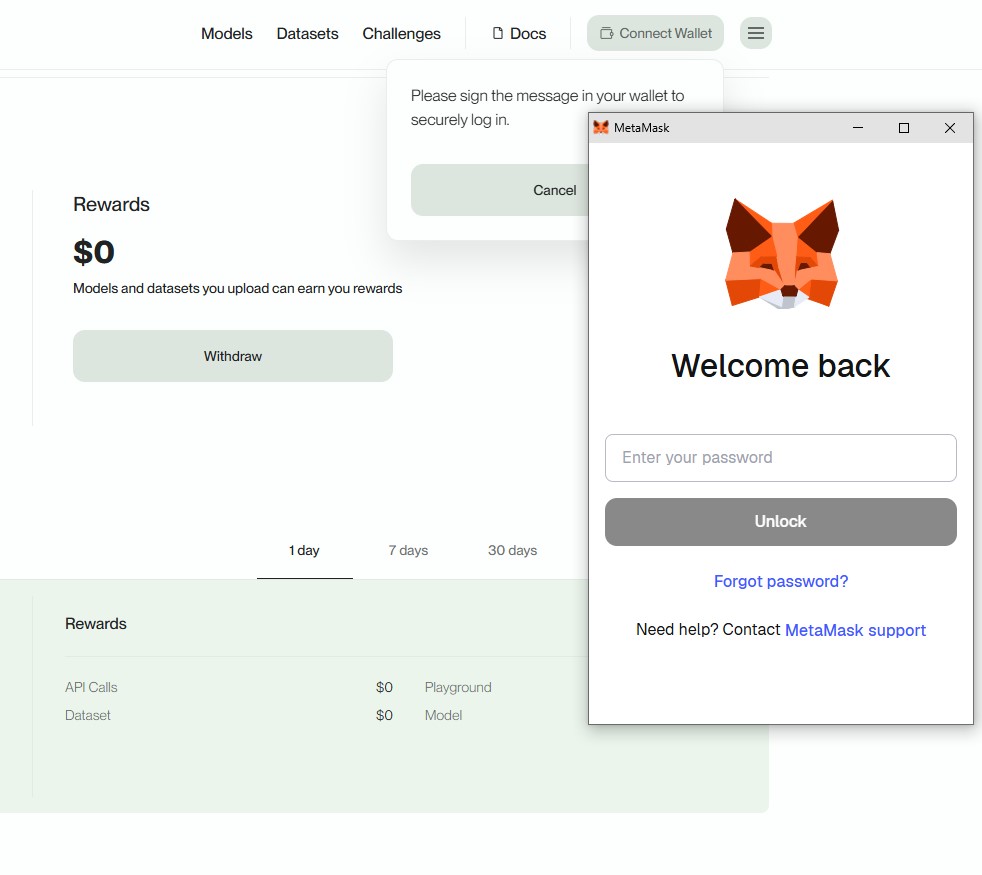
By confirming the connection between MetaMask wallet and AIOZ AI, you have successfully completed the connection process.
Wallet connection status is successful!